Having files saved to your library allows you to access, link, and manipulate them throughout your website with ease.
To add a file to the library:
Log onto the PracticeBeat Dashboard.
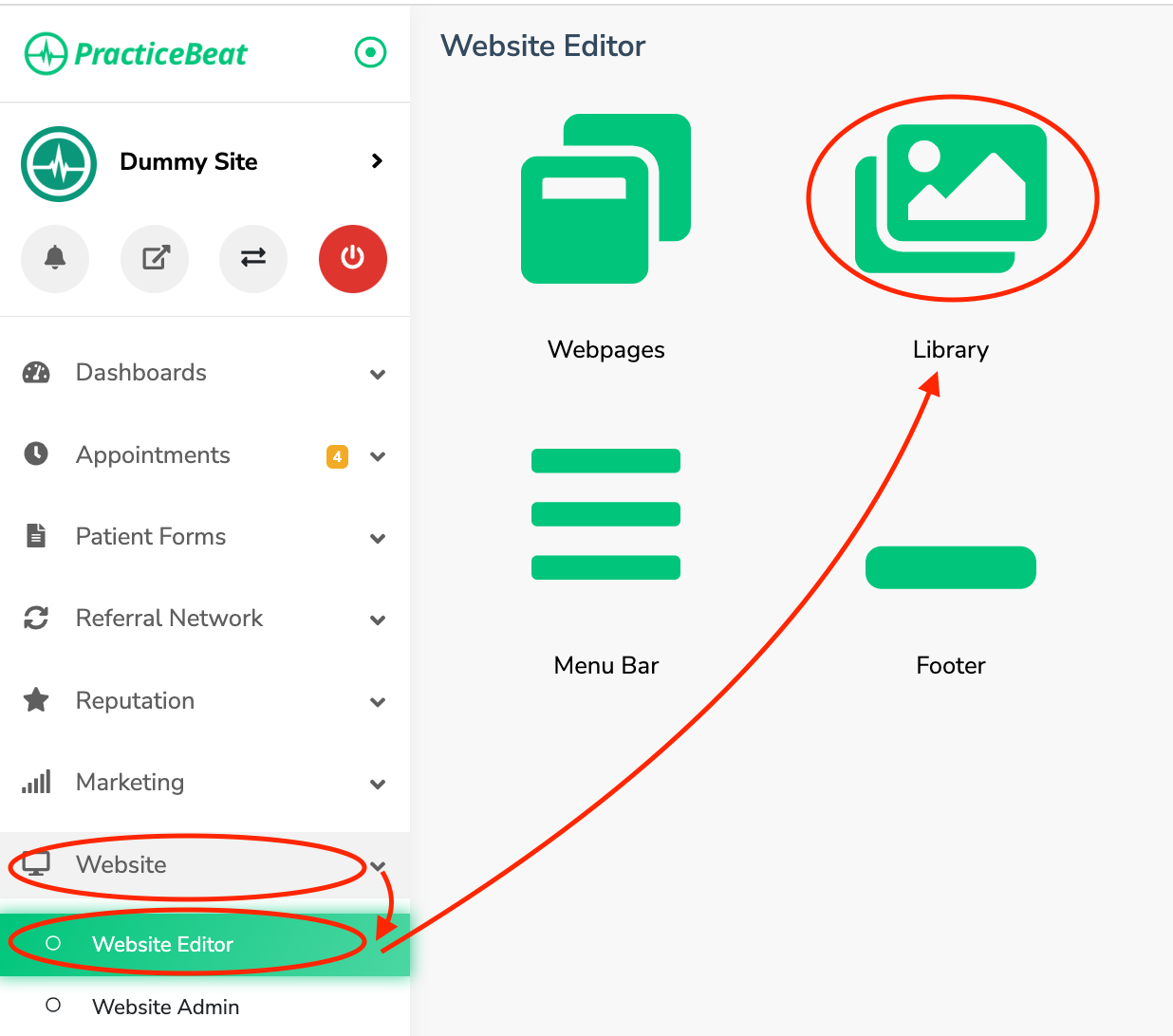
Click “Website” on the left side column; a drop-down menu will appear.
Click “Website Editor”; on the right, a tab with an icon titled “Library” will appear; click on “Library”.
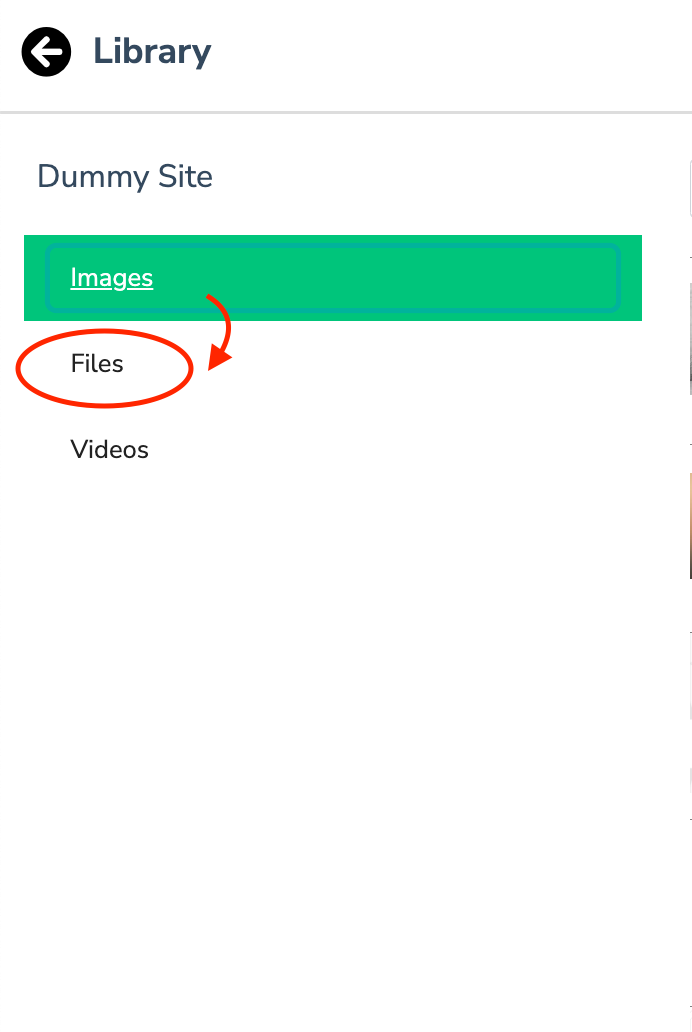
On the left side column, a tab titled “Files” will appear; click on “Files”.
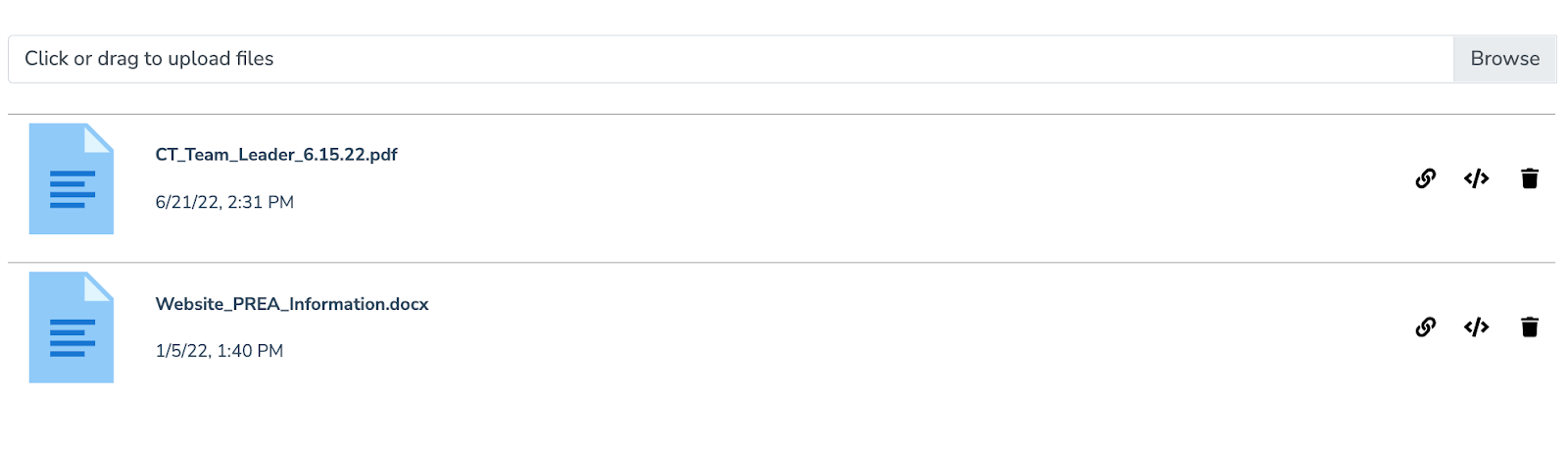
A field to “click or drag to upload files will appear.” Click this to either drag the file into the field or click to select a file from your device.
Click the “Upload” button to add the file to your library.

Was this article helpful?
That’s Great!
Thank you for your feedback
Sorry! We couldn't be helpful
Thank you for your feedback
Feedback sent
We appreciate your effort and will try to fix the article