Having videos saved to your library allows you to access, link, and manipulate them throughout your website with ease.
To add a video to the library:
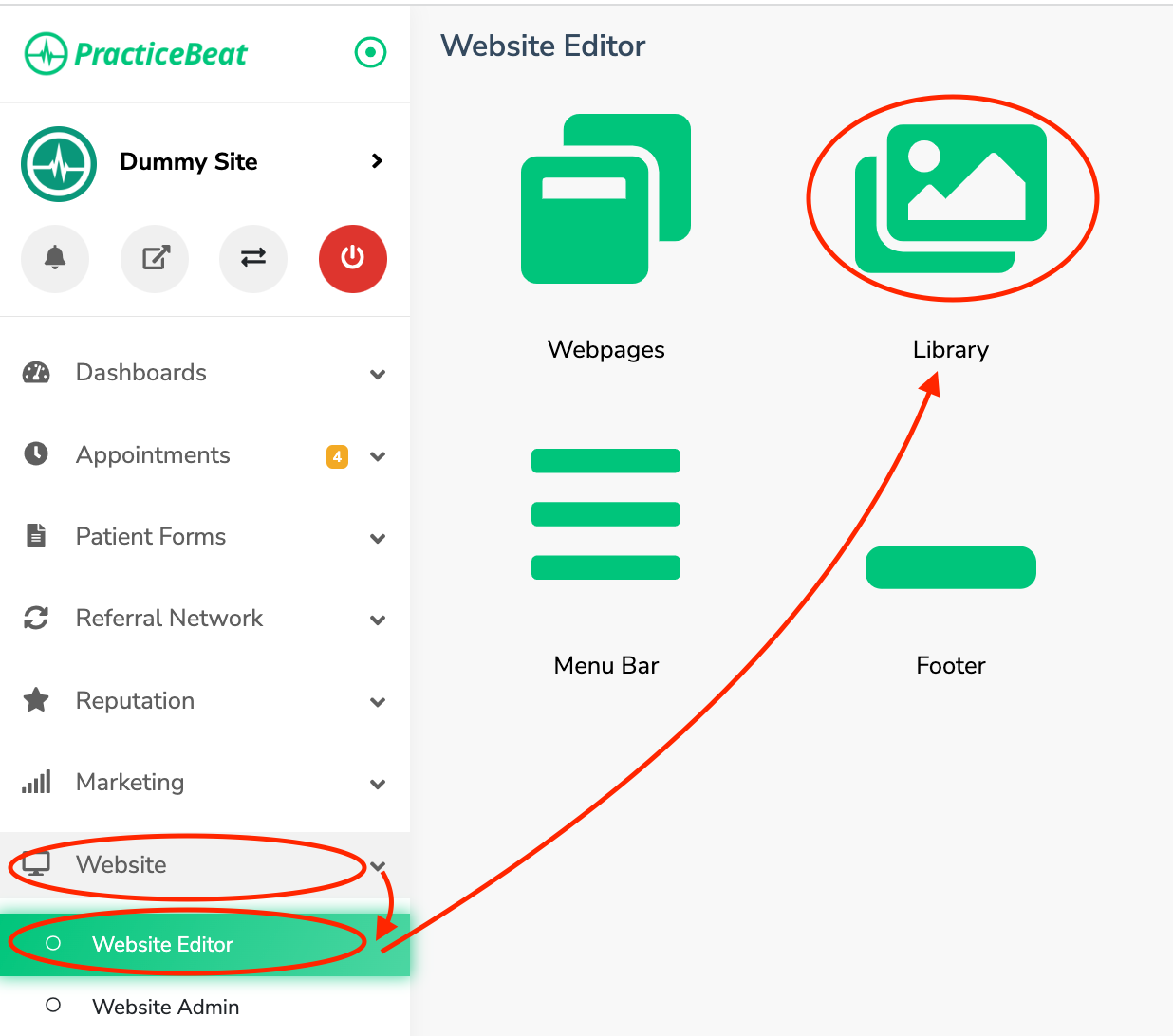
Log onto the PracticeBeat Dashboard.
Click “Website” on the left side column; a drop-down menu will appear.
Click “Website Editor”; on the right, a tab with an icon titled “Library” will appear; click on “Library”.
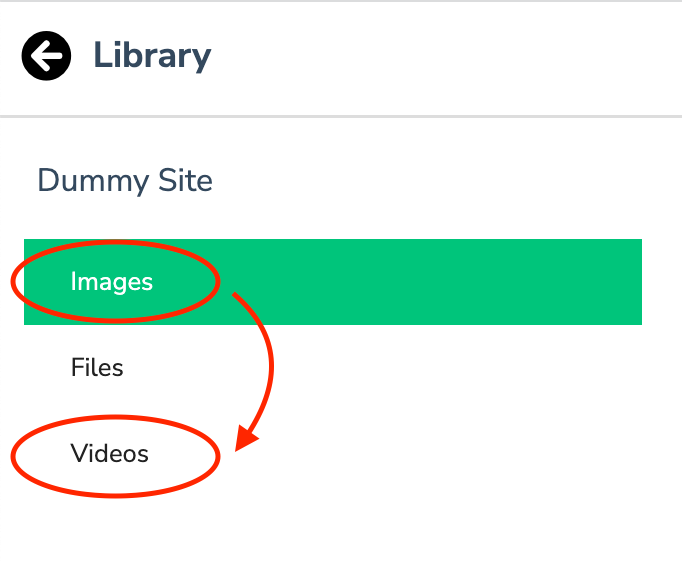
On the left side column, a tab titled “Videos” will appear; click on “Videos”.
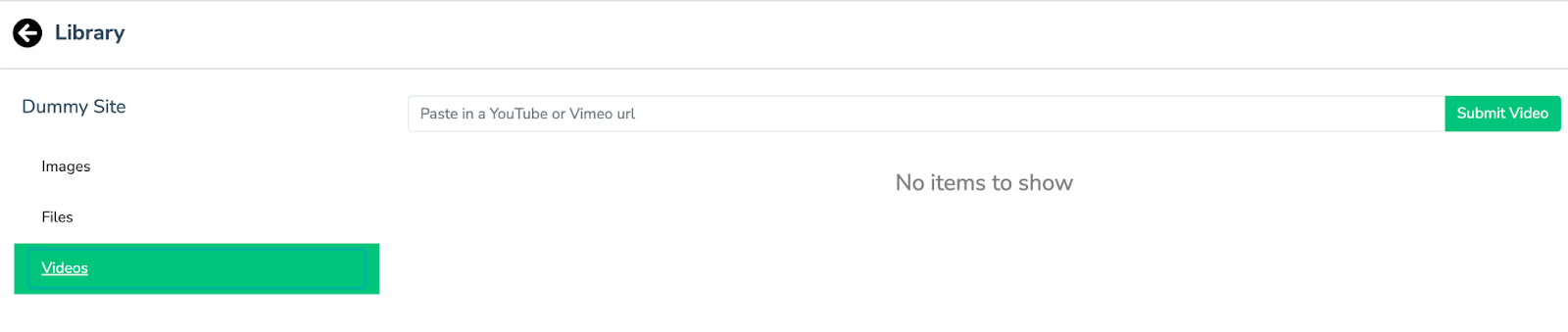
A field to “Paste in a YouTube or Vimeo URL” will appear. Click this to input the video URL.
Click the “Submit Video” button to add the video to your library.
Was this article helpful?
That’s Great!
Thank you for your feedback
Sorry! We couldn't be helpful
Thank you for your feedback
Feedback sent
We appreciate your effort and will try to fix the article