Adding and removing redirects to your website makes it easier to control what pages you want users to land on. It also helps push users away from outdated content that is no longer accurate or available.
To add a redirect:
Log onto the PracticeBeat Dashboard.
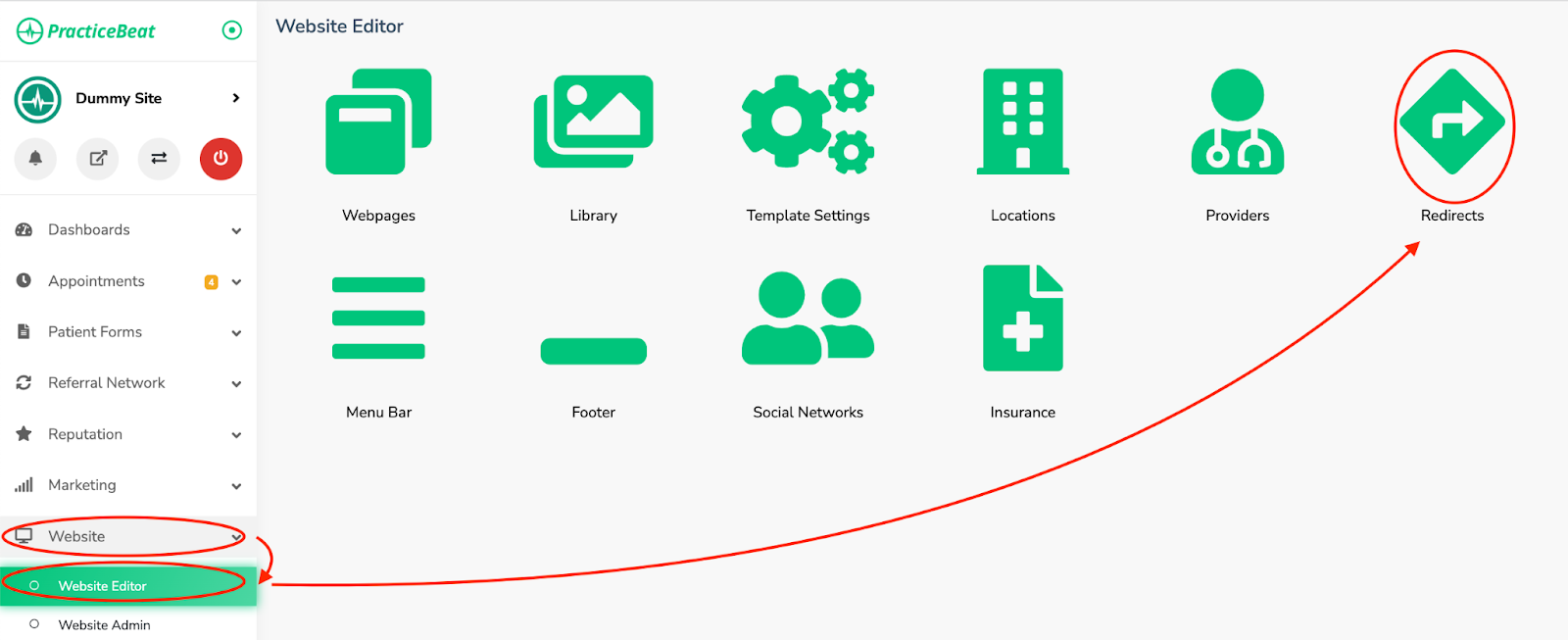
Click “Website” on the left side column; a drop-down menu will appear.
Click “Website Editor”; on the right, a tab with an icon titled “Redirects” will appear; click on “Redirects”.
Click the button “Create Redirect” to add a new redirect to the website.
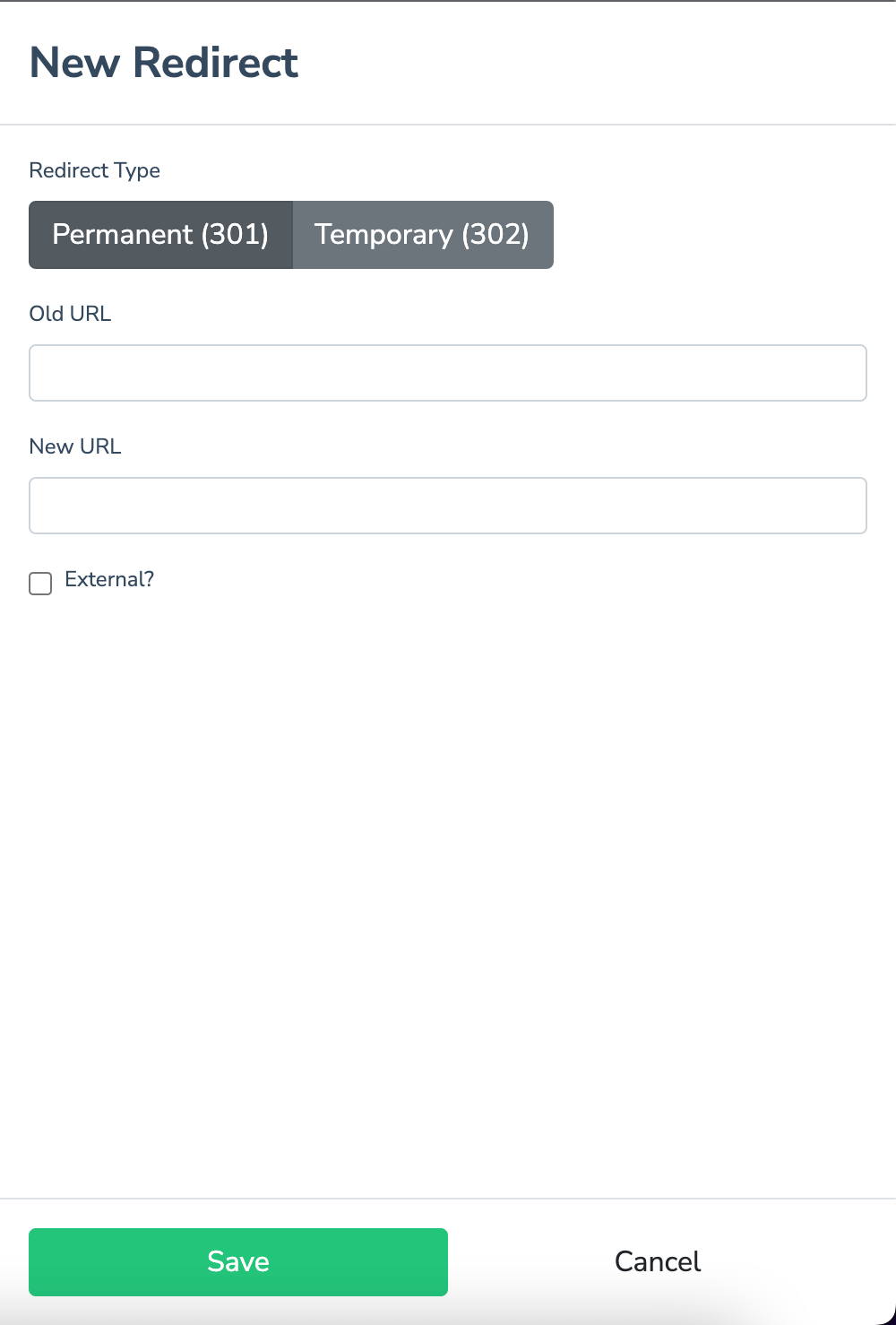
A window labeled “New Redirect” will appear, with the options to set the redirect type to permanent (permanent removal of a page from the site) or temporary (a page planned to return at a later date), to add the old URL, and to set the new URL.
Choose permanent or temporary redirect type
Type in the URL path excluding the domain of the page you wish to redirect. For example, if you wish to redirect “https://www.testwebsite/insurance”, you would type in “/insurance”
Type in the URL path excluding the domain of the page you wish to redirect to. For example, if you wish to redirect the page to “https://www.testwebsite/resources/our-insurance”, you would type in “/resources/our-insurance”. If you wish to redirect directly to the homepage, type in “/”
Click the “External” checkbox if the link you are redirecting is redirecting to a page outside of the website.
To remove a redirect:
Log onto the PracticeBeat Dashboard.
Click “Website” on the left side column; a drop-down menu will appear.
Click “Website Editor”; on the right, a tab with an icon titled “Redirects” will appear; click on “Redirects”.
Find the redirect you would like to remove and click the trash icon that appears to the right of it.
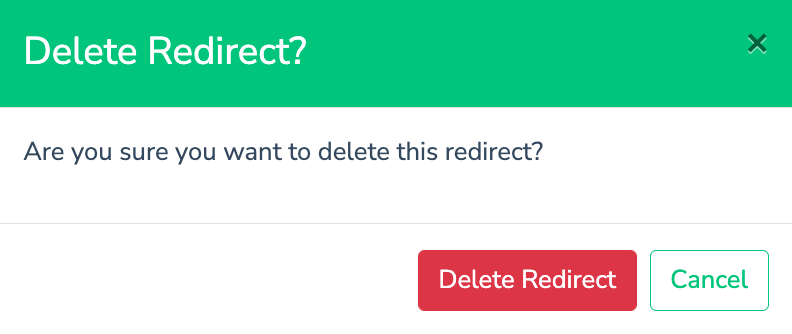
A tab called “Delete Redirect?” will appear, with the option to click on the buttons “Delete Redirect” or “Cancel.”
Click the button “Delete Redirect” to remove the redirect or click “Cancel” to keep it.

Was this article helpful?
That’s Great!
Thank you for your feedback
Sorry! We couldn't be helpful
Thank you for your feedback
Feedback sent
We appreciate your effort and will try to fix the article